

Case study
One platform for building wind and solar farms.
How Uniper's renewables construction team brought its schedules, documents and project conversations together in one platform. The first pilot came in four months.
- Client
- Uniper, for the team that builds its wind and solar farms
- What we built
- JARVIS, a platform for planning and running construction projects, joined up with the Microsoft tools the team already used
- How it was delivered
- In short cycles, with Uniper's VP of Construction as product owner and a steering group keeping leadership aligned
The challenge.
Uniper's renewables team was running dozens of long construction projects at once. A single wind farm could have more than 50 turbines and hundreds of people involved, and run for months or years.
The tools hadn't kept up. Schedules sat in one place, and working on them together was awkward. Documents often had no version control and no proper approvals. Out on site, teams kept in touch in phone group chats, away from everything else. The risk of missed messages and duplicated work was high, and with no single view of every project, planning ahead was hard.
A new VP of Construction wanted a different way of running projects: plan the whole project with confidence up front, then respond quickly to what happens on site. That needed one place for planning the work, doing it and talking about it, joined up with the tools people already used, and built to grow.
What we built.
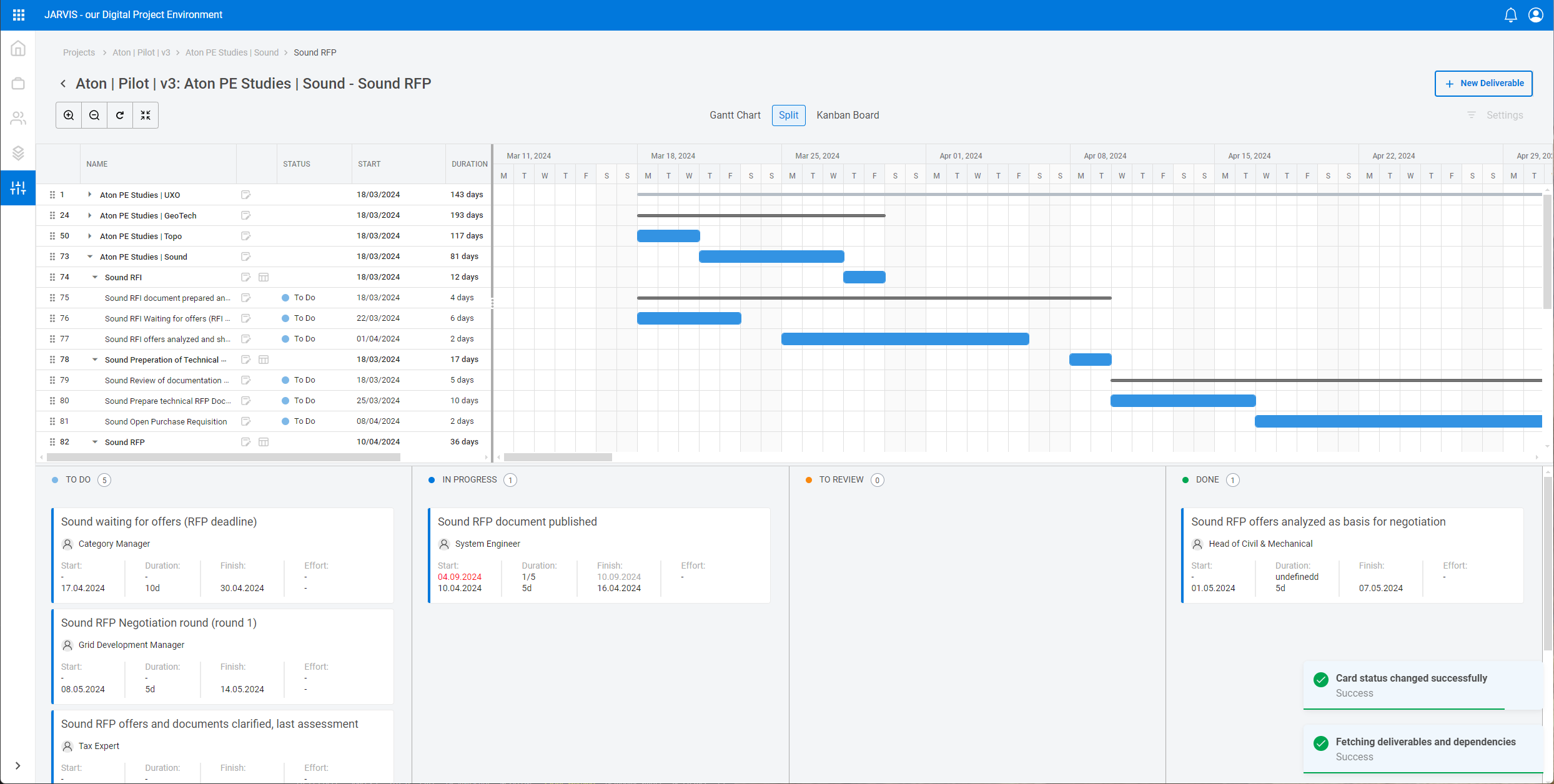
- Schedules. Plan, update and follow each project on a timeline, across teams and work packages, and build new plans from past projects.
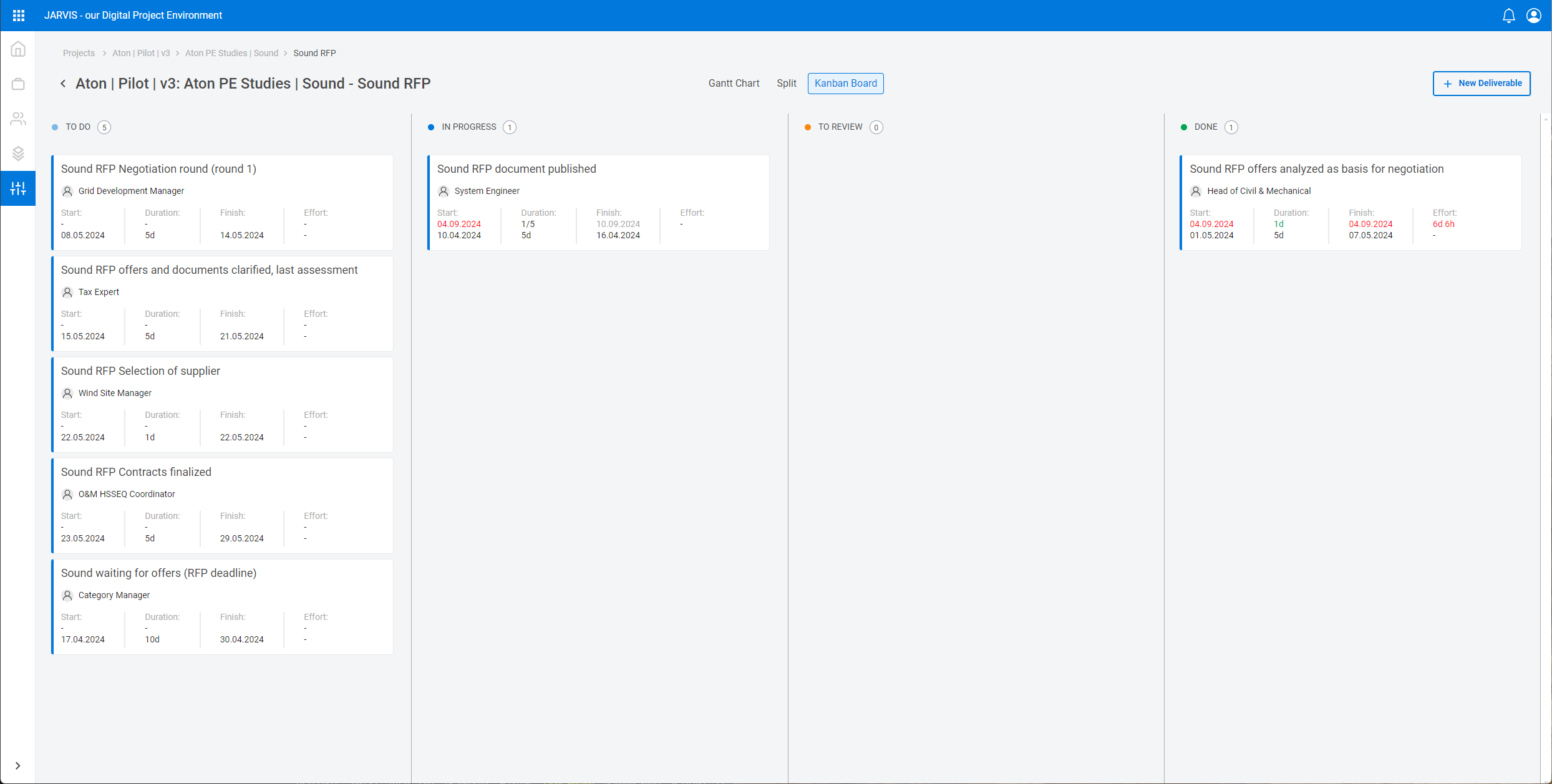
- Day-to-day work. A board for each work package, showing what's done and what isn't, as it happens.
- Documents. Stored in SharePoint and tagged to the industry standard for classifying documents, so they're easier to find.
- New projects set themselves up. Each new project gets its own document site and its own Teams workspace, with a channel for each work package.
- Working from the tools people know. Office staff message field engineers in Teams, and open documents from their laptops, without logging into JARVIS.
The hard parts.
- When the scheduling connection couldn't keep up. The plan was to connect JARVIS to the scheduling software Uniper already had. Its connection proved too slow and unreliable for daily use, so we built scheduling into JARVIS itself. The result was more robust.
- New to Uniper's IT. JARVIS was the first project inside Uniper to use several newer ways of building and running software. That meant careful work with Uniper's IT teams, and handing over knowledge early.
- Designing around habits. JARVIS added structure without asking anyone to learn a new way to message a colleague or share a document. That's a large part of why people used it.
The result.
- 4 months
- to the first pilot
- 8 months
- to a complete first working version
- 11 months
- handed over to Uniper's own team
JARVIS was easy for people to start using, because it fitted around the tools they already used. Each new project started with its own document site and Teams channels, and project managers plan from past projects rather than from scratch. At eleven months, the full platform was handed to Uniper's own team to keep developing.
“Their commitment to vision is evident in the quality of the MVP delivered, laying a strong foundation for our future success.”
For the technical reader
| Layer | Technology |
|---|---|
| Backend | .NET microservices in containers, REST, Azure Service Bus, Azure API Management |
| Frontend | Vue.js, TypeScript, Syncfusion Gantt and Kanban components |
| Identity | Microsoft Entra ID with OAuth 2.0 and JWT |
| Microsoft 365 | SharePoint with metadata aligned to IEC 61355, Microsoft Teams |
| Delivery | Azure DevOps pipelines |
JARVIS was Uniper's first internal project to use containerised microservices, Azure Service Bus and Azure API Management. The first plan used Microsoft Project for the web through the Graph API, but the API's asynchronous behaviour caused performance and stability problems, so we built a scheduling engine into the application. An attempt to combine Syncfusion and Bryntum components in one interface showed that separate views would have been more robust. New projects provision their own SharePoint site and Teams workspace, with a channel for each work package.
Not sure which way in?
A first conversation costs nothing. We'll tell you where we'd start, and if the answer is not yet, we'll say so.
Or email info@khiliad.com, or .